Communicate worship schedules and sermon messages while engaging your congregation with visual technology.
View More
LED displays in transportation settings, such as airports, train stations, and bus terminals, serve as dynamic platforms for real-time information, advertising, and wayfinding, enhancing passenger experience with clear, up-to-date travel details and announcements.
View More
Differentiate yourself from the competition by incorporating a digital experience in your booth with our trade show LED displays.
View More
Communicate your brand’s message, stand out from the competition and engage your target market with LED digital signage.
View More
We offer creative solutions at cost-effective rates. You will be able to deliver your sermons more effectively and engage your congregation through one-of-a-kind lyric video walls and house of worship LED displays.
View More
Enhance ambiance, display interactive directories and wayfinding displays, and promote amenities and events to elevate the guest experience.
View More
Incorporate digital displays to enhance your students’ learning experience and market to prospective students and donors.
View More
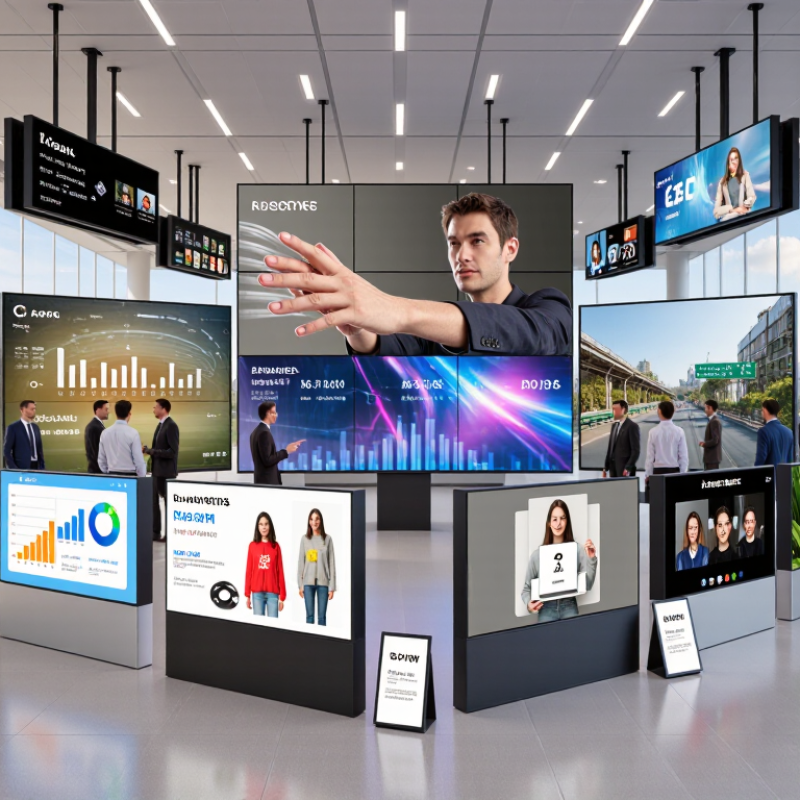
Transform your corporate spaces with PixelFLEX LED video displays. Enhance communication, elevate branding, and create dynamic environments.
View MoreGlobal buyers are investing in LED displays for retail stores, stadiums, transport hubs, control rooms, and outdoor advertising. Yet choosing led screen panels is rarely a simple price comparison. Pixel pitch, viewing distance, brightness, refresh rate, cabinet design, and service access can change the entire project outcome.
Market evidence supports this growing complexity. Grand View Research describes the global LED display market as a steadily expanding sector, driven by digital signage, events, and large-format commercial installations. MarketsandMarkets also identifies fine-pitch displays, energy efficiency, and smart control systems as important development areas. These reports offer useful direction, but their estimates differ because product definitions and regional coverage are not identical. That limitation matters.
A professional selection process must connect specifications with real site conditions. A 2.5 mm panel may look sharp in a showroom, yet a 6 mm option could be more practical across a distant highway. Indoor screens need controlled brightness. Outdoor panels require strong weather protection, stable heat management, and reliable sealing around each cabinet. In field evaluations, small details often become expensive problems: difficult front access, inconsistent color calibration, unavailable spare modules, or weak after-sales support.
This guide presents seven practical tips for global buyers. It examines technical performance, total ownership cost, certifications, supplier capability, installation risks, and long-term maintenance. Reports can inform a purchase, but they cannot replace measured samples and documented testing. That is the uncomfortable part. The cheapest quotation may not be the lowest-cost solution. A trustworthy supplier should explain limitations clearly, provide test evidence, and support compliance with the buyer’s local requirements.
Define the LED screen’s purpose before comparing pixel pitch or brightness. A retail display needs clear close-up detail. A stadium screen needs visibility from long distances. Audience distance, viewing angle, and content type should guide the panel selection.
Test real content, not only sample images. Bright product videos may hide motion blur.
The installation environment matters equally. Measure sunlight, humidity, wind exposure, available power, and maintenance access. An outdoor wall may require weather protection and stronger mounting support. An indoor conference room may need lower brightness to prevent eye strain.
Shortcuts become expensive.
Experience shows that specifications can look excellent while installation feels difficult. Ask for brightness measurements, thermal data, viewing tests, and service instructions.
Confirm how replacement panels will match older units. This detail is often ignored. A small trial installation can reveal color differences, cable limits, and uncomfortable reflections. The first plan may still be wrong. Recheck it with installers and actual viewers before approving a large purchase.
7 Tips for Choosing LED Screen Panels for Global Buyers
Choosing LED screen panels is less about the smallest pixel pitch. It is about matching detail to viewing distance. Measure the nearest and farthest seats first. A practical starting point is viewing distance in metres divided by 1,000, giving an approximate pixel pitch in millimetres. For example, a 6-metre viewing distance may suit a 6 mm pitch. Treat this as a guide, not a guarantee. Room lighting, content type, and viewer expectations can change the result. A smaller pitch can improve close-up image quality, but it also increases cost and power demand.
Check image quality beyond resolution. Compare grayscale performance, refresh rate, contrast, and colour consistency. Live cameras need high refresh rates to reduce scan lines and flicker. Fine-text presentations need stable edges and uniform brightness. ITU-R BT.500-15 evaluates perceived television quality on a five-grade scale, reminding buyers that technical specifications still require human viewing tests. Request sample footage from the actual camera system. Do not rely only on showroom graphics. They are usually too perfect.
Ask suppliers for measured brightness, calibration tolerance, operating temperature, and service data. AVIXA’s 2024 IOTA report forecasts continued global growth in professional AV investment, increasing pressure for reliable lifecycle decisions. Compare total ownership costs, not just panel prices. Seven useful checks are simple: measure distance, match pitch, inspect content, test cameras, verify refresh, review calibration, and confirm maintenance access. The honest weakness is that pitch calculators can create false confidence. A beautifully calculated screen may still look harsh from the front row.
For global buyers, brightness should match the installation, not simply reach the highest number. Indoor walls commonly need about 600–1,200 nits, while outdoor displays may require 4,500–8,000 nits under direct sunlight. A 4,500-nit panel can look harsh indoors. Ask for measured brightness, power consumption, and calibration records. The 2024 MarketsandMarkets LED Display Market report estimates growth from USD 9.4 billion in 2023 to USD 12.6 billion by 2028, increasing the need for comparable specifications across suppliers.
Refresh rate affects camera footage, motion clarity, and live-event production. A practical baseline is 1,920 Hz, while 3,840 Hz or higher can reduce scan lines and flicker on camera. However, refresh rate alone proves little. Test the panel with slow-motion video, low shutter speeds, and dark gradients. Color performance also needs evidence. Request white-balance data, grayscale uniformity, and measured color coordinates. Wide gamut claims can mislead without a defined color space. Delta E below 3 is a useful professional target for critical content, though calibration may drift.
Durability depends on more than an IP number. Under IEC 60529, IP65 indicates dust protection and resistance to water jets, not immersion. Check operating temperature, humidity limits, wind-load testing, connector sealing, and module replacement procedures. Salt air is especially unforgiving near coasts. I have seen panels pass a showroom test yet fail after repeated thermal cycling. That gap deserves attention. Ask for accelerated aging results, warranty exclusions, and independent test reports before comparing prices.
Global buyers should examine the cabinet before comparing pixel pitch or brightness. A rigid aluminum cabinet can protect modules during transport and repeated servicing. Check its weight, corner strength, locking system, and cable routing. Front-service access helps indoor installations with limited rear clearance. Rear access may suit outdoor structures where technicians need safer working space. Sealed joints matter. Ask for documented IP performance, not vague weatherproof claims. Also verify module alignment; uneven gaps become visible across a large wall.
Installation method must match the building and local conditions. Wall-mounted, hanging, and freestanding systems require different load calculations. Request drawings showing anchor points, wind loads, ventilation space, and power distribution. A qualified installer should inspect the substrate before drilling. Do not assume a strong-looking wall is suitable. In some projects, rushed measurements caused costly frame changes. That mistake is avoidable, but not always. Confirm voltage, grounding, surge protection, and emergency shutoff arrangements with licensed professionals. Electrical requirements differ by country, so local compliance documents should be available.
Maintenance planning often separates a reliable screen from an expensive interruption. Confirm spare module access, tool requirements, diagnostic software, and replacement procedures. Keep temperature and humidity limits visible to operators. Safety features deserve equal attention. Look for flame-rated materials, protective earth continuity, residual-current protection, thermal monitoring, and brightness controls for public areas. Ask how failures are reported and how quickly parts can be supplied. A low purchase price may hide difficult servicing. Challenge optimistic claims and record every assumption before approval.
| Tip | Key Dimension to Evaluate | Recommended or Typical Data | Why It Matters | Buyer Verification Checklist |
|---|---|---|---|---|
| 1 | Cabinet Size and Weight |
Common cabinet formats include 500 × 500 mm and
500 × 1000 mm. Typical indoor cabinet weight: 10–18 kg/m². Typical outdoor cabinet weight: 25–45 kg/m². |
Standardized cabinet dimensions simplify transport, installation, spare-part planning, and screen-area calculations. Lower weight can reduce structural and labor requirements. | Confirm the exact cabinet dimensions, net weight, packing dimensions, stacking limits, lifting points, and the permitted mounting load of the supporting structure. |
| 2 | Cabinet Design and Module Access | Prefer cabinets with alignment pins, quick locks, replaceable power supplies, and removable front or rear modules. Typical service access: front access, rear access, or both. | Modular construction helps maintain pixel consistency and allows defective modules, receiving cards, or power supplies to be replaced without dismantling the entire display. | Check cabinet flatness, seam tolerance, locking mechanism strength, module fixing method, spare-module compatibility, and whether maintenance can be performed safely in the installed location. |
| 3 | Pixel Pitch and Viewing Distance |
Typical indoor pitches: 1.2–4.0 mm. Typical outdoor pitches: 3.9–10 mm. A practical minimum viewing distance is often estimated at approximately pixel pitch in millimetres × 1 metre, depending on content and viewing conditions. |
Smaller pixel pitch provides higher image detail at close range but normally increases LED quantity, processing requirements, cost, and power density. | Match pixel pitch with the closest viewer distance, screen dimensions, content type, camera requirements, and the required text legibility. |
| 4 | Installation Method and Structural Requirements | Common methods include fixed wall mounting, hanging, stacking, mobile structures, and curved or creative assembly. Verify the cabinet load, wind load, support spacing, and access clearance according to the project design. | The installation method affects structural safety, viewing angle, transport time, service access, and compliance with local building regulations. | Request installation drawings, connection details, allowable wind speed, anchor requirements, load calculations, grounding method, and professional installation instructions. |
| 5 | Environmental Protection and Operating Conditions | For outdoor applications, a common target is IP65 on the front with suitable rear protection. Typical operating temperature ranges may be approximately −20°C to +50°C, depending on design. Indoor screens generally require lower environmental protection. | Dust, rain, humidity, salt spray, heat, and freezing conditions can shorten LED, connector, power-supply, and control-system life. | Confirm the actual IP test rating, humidity limits, corrosion protection, drainage design, ventilation, condensation control, and whether the stated temperature range applies during operation or storage. |
| 6 | Maintenance, Redundancy, and Spare Parts | Look for front or rear service access, accessible receiving cards, replaceable power supplies, monitoring functions, and optional power or signal redundancy. Keep critical spare parts at approximately 1–3% of installed modules for larger projects, based on risk and service conditions. | Planned maintenance reduces downtime and avoids replacing complete cabinets when only a module, cable, fan, or power supply has failed. | Check the mean time to repair, diagnostic software, spare-part lead time, module calibration process, warranty procedure, technical documentation, and availability of local service support. |
| 7 | Electrical Safety, EMC, and Fire Features | Confirm protective earthing, over-current protection, surge protection, safe cable routing, and power-supply certification for the destination market. Enclosure materials may be specified with a flame rating such as UL 94 V-0; equipment should be evaluated against applicable requirements such as IEC/EN 62368-1 and relevant EMC standards. | Correct electrical protection helps reduce shock, fire, overheating, electromagnetic-interference, and equipment-damage risks. | Request test reports and declarations applicable to the destination country, verify residual-current protection and emergency isolation, inspect cable insulation, and confirm that installation will be performed by qualified personnel. |
When choosing LED screen panels across borders, assess the supplier before comparing prices. Request factory photos, production records, sample testing, and references from similar climates. Ask who controls quality at each stage. A polished sales presentation proves little.
Check certification documents carefully. Confirm that reports match the exact panel model, power supply, and electrical configuration. Requirements vary by destination, so verify them with local professionals. Safety markings, electromagnetic compatibility, and weather protection ratings should be traceable. Documents with vague test numbers deserve questions.
Calculate the total cost, not just the purchase price. Include packaging, freight, duties, installation tools, spare modules, power consumption, and future maintenance. A lower quote may hide expensive replacements. I have seen buyers overlook spare receiving cards and wait weeks for small parts. That delay can damage an event schedule and customer trust.
Read the warranty line by line. Check coverage periods, brightness limits, labor, shipping, and exclusions for moisture or improper installation. Ask how quickly technical support responds and whether remote diagnostics are available. Get the service process in writing. A shared support email is not enough. Confirm local technicians, training materials, and recommended spare quantities. Some suppliers promise fast help, yet their response depends on one engineer’s time zone. That weakness is easy to miss. Reflect on it before signing.
A practical 100-point procurement framework helps buyers compare LED screen suppliers consistently. Supplier capability, certifications, total cost, warranty coverage, and after-sales support should be assessed together rather than by purchase price alone.