Why Choose a Digital Display Screen?

A digital display screen can turn a quiet wall, shop window, or reception desk into a clear point of communication. It can show a changing menu, a wayfinding map, or a time-sensitive announcement without printing a new sign each time. That flexibility matters. So does fit. The right screen depends on viewing distance, ambient light, operating hours, and the content people actually need. A bright panel may look crisp in a sunlit lobby, while the same setting could feel harsh in a small waiting room. Bigger is not always better.

For this introduction, consider this illustrative perspective from fictional display-systems consultant Maya Chen: “A screen earns its place when the message is useful, readable, and easy to keep current.” The line is not a sourced quotation; it is a practical principle for evaluating a purchase. Buyers should compare brightness, resolution, connectivity, mounting options, warranty terms, and expected running costs. They should also ask who will update the content, and how often. Small details matter: glare on glass, tiny text viewed from across a corridor, or a screen left showing outdated information. Digital displays can improve communication, but they do not fix unclear messaging by themselves. That part takes planning. A careful choice starts with the audience and the environment, not a product brochure. And sometimes the honest answer is that a simpler sign will work better.

Why Choose a Digital Display Screen?

What Is a Digital Display Screen?

A digital display screen is an electronic surface that presents text, images, video, or data. Unlike printed signs, it receives digital content and changes it through software or connected hardware. The screen may use LED, LCD, or other display technology. Brightness, resolution, viewing distance, and indoor conditions affect readability. A screen can be small, wall-mounted, freestanding, or built into equipment.

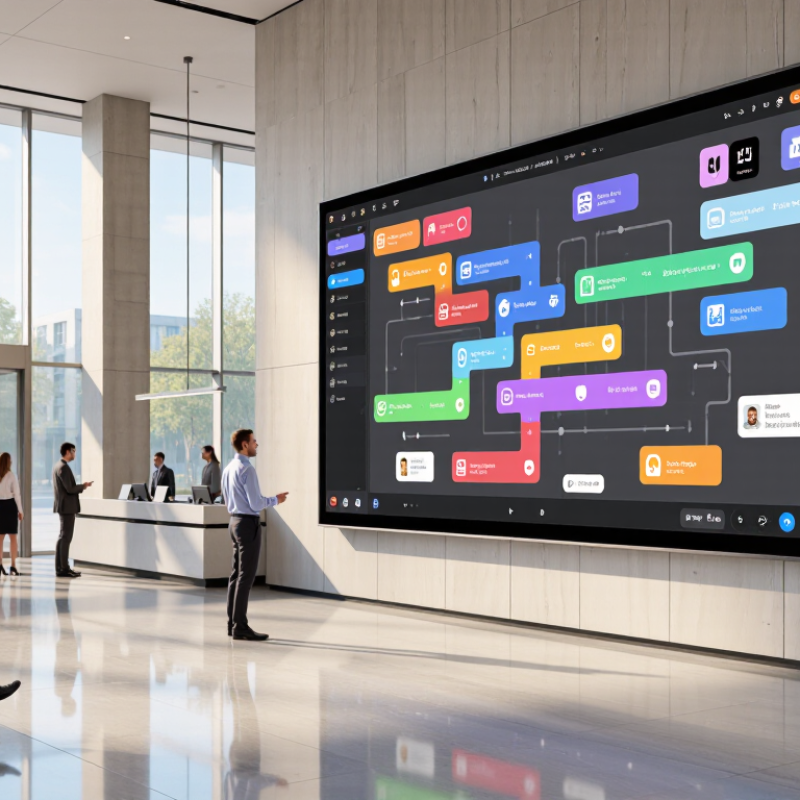
Its value comes from flexible communication. A store can update prices without replacing printed materials. A school can show schedules, maps, and emergency notices. In a reception area, clear motion graphics can guide visitors across a busy building. Content can also be scheduled for different times, reducing manual changes. I have found that simple layouts often work better than crowded animations. People need to understand the message quickly.

Digital screens still require careful planning. Poor brightness may cause glare near windows. Weak network connections can delay updates. Complex interfaces may confuse staff who manage daily content. These problems are easy to overlook. A reliable setup needs testing, access controls, maintenance, and readable content. It also needs honest measurement, such as checking whether visitors notice the message or complete the intended action. The technology is useful, but it is not magic. Sometimes a static message communicates better.

How Digital Display Screens Present Information

Digital display screens present information through light, motion, hierarchy, and timing. A well-planned screen turns a crowded message into a readable visual path. In practical display testing, viewers often scan before they read. Large headings attract attention first. Short labels then guide the eye toward prices, directions, or safety details. Good contrast helps in bright rooms, while controlled brightness reduces glare at night. Keep it simple.

Content can appear as text, icons, images, charts, or short animations. Each format serves a different purpose. A queue display may show one number, a service name, and an estimated wait. A public information screen might rotate three messages every fifteen seconds. Motion should explain change, not decorate empty space. Readers need enough time to finish a sentence. Tests from different viewing distances can reveal overlooked problems, such as thin fonts, weak contrast, or text placed too close to the edge.

Reliable presentation also depends on accurate data, scheduled updates, and readable layouts. Operators should check timestamps and remove expired notices. A polished screen can still display yesterday’s information when no one owns the update process. The design looks professional, but the message is wrong. That mistake matters. Accessibility requires more than color choices; captions, clear language, and logical ordering support more viewers. Screens also need manual checks, because software may miss reflections, glare, or a broken connection.

Why Choose a Digital Display Screen? - How Digital Display Screens Present Information
Information Format How It Is Presented Typical Information How It Can Be Updated Practical Benefit Consideration
Static text and graphics Text, icons, diagrams, and images appear together on a fixed layout. Opening hours, directions, notices, menus, and service details. Replace or revise the digital content using a connected media player or display system. Key details can be organized for quick viewing from a distance. Use concise wording and sufficient contrast; small text may be difficult to read at a distance.
Slides and scheduled playlists A sequence of pages or messages appears in turn, often for a set duration. Rotating announcements, event schedules, product categories, and public information. Change the playlist or schedule in the display-management software. Several messages can share one screen without requiring printed replacements. Viewers may miss a message if the sequence is long or each slide stays on screen too briefly.
Video and animation Moving images, transitions, or simple animated graphics illustrate a message. Demonstrations, safety instructions, wayfinding steps, and event highlights. Upload or schedule a new media file, subject to the screen and player’s supported formats. Motion can help explain a process or draw attention to a featured message. Frequent or fast motion can distract; provide readable text and avoid relying on sound alone.
Live or frequently changing data Values, lists, or status messages are refreshed from a data source when the system supports it. Transport times, queue status, weather conditions, or room availability. Connect the display system to an approved data feed or update the information manually. Helps show information that can change during the day in a single visible location. Accuracy depends on the data source, connection, and refresh settings; show when information was last updated when useful.
Alerts and priority messages A prominent banner, full-screen notice, or high-contrast message is placed above routine content. Closures, service interruptions, urgent instructions, and safety notices. Publish a priority message through the display controls; availability depends on the system configuration. Important updates can be made visible without replacing every item in the regular content schedule. Keep the message direct and legible, and remove or revise it when it is no longer current.
Multiple content zones The screen is divided into areas that can show different content at the same time. A main announcement with a clock, local schedule, map, or secondary notices. Adjust the layout and assign content to each zone in the display software. Combines related information in one place and can reduce the need for separate signs. Too many zones can make the screen crowded; prioritize the information viewers need most.

Key Benefits of Choosing a Digital Display Screen

Why Choose a Digital Display Screen?

Digital display screens turn silent walls into active communication points. They can show schedules, prices, safety notices, maps, or changing promotions within seconds. This flexibility reduces the need for printed materials and helps teams correct outdated information quickly. Grand View Research projects the global digital signage market will grow at an 8.1% compound annual rate from 2024 to 2030. That growth reflects practical demand, not just visual appeal.

Key Benefits of Choosing a Digital Display Screen

The strongest benefit is measurable attention. A 2023 report from the Out of Home Advertising Association of America found that digital out-of-home advertising revenue increased by 7.5% in 2023. Bright, well-positioned content can remain visible in busy entrances, reception areas, and transit corridors. Motion also helps viewers notice short messages, although movement should support clarity rather than distract from it. Too many animations can weaken trust.

Digital screens also support faster operations. A retail team can update a price remotely, while a facility manager can display a queue change across several locations. The MarketsandMarkets Digital Signage Market report estimates the sector will reach about 47.7 billion dollars by 2030. However, installation alone does not guarantee results. Content needs readable fonts, strong contrast, accessible language, and regular testing. In real settings, glare, weak internet connections, and neglected updates still create poor experiences. A screen is useful only when someone takes responsibility for what it shows.

Why Choose a Digital Display Screen? — Key Benefits of Choosing a Digital Display Screen

Higher resolutions deliver more pixels, sharper details, and richer visual presentation for digital content.

Key takeaway: A 4K UHD display contains approximately four times as many pixels as a Full HD display, while an 8K display contains approximately four times as many pixels as a 4K display. More pixels can improve image clarity when the screen size, viewing distance, and content quality are suitable.
Pixel counts are calculated from the standard horizontal and vertical resolutions: width × height.

Common Uses Across Different Industries

Digital display screens serve different jobs across retail, healthcare, transport, education, and hospitality. In a shop, a screen can show a changing price beside a product shelf; in a clinic, it can display directions near reception. The useful part is not motion alone. Content can be updated quickly when information changes. Yet a bright screen cannot fix confusing wording.

Retailers use displays for promotions, product information, and queue guidance. A MarketsandMarkets industry report estimated the global digital-signage market at $23.6 billion in 2023, forecasting growth to $41.7 billion by 2028. That forecast reflects demand across multiple sectors, not proof that every screen improves sales. Placement, readability, and timely updates still matter. Sometimes a printed sign is clearer.

Public spaces use screens in different ways. Transit hubs show arrival changes, while hotels share event schedules and campus buildings post room updates. The Outdoor Advertising Association of America reported that digital formats generated about $3.1 billion of U.S. out-of-home advertising revenue in 2023. That figure illustrates the medium’s commercial reach, though advertising revenue does not measure service quality. For practical use, operators should consider viewing distance, glare, accessibility, and who updates the content. A screen left showing yesterday’s notice is still a screen—but not a helpful one.

Factors to Consider When Selecting a Digital Display Screen

Choosing a digital display screen is not simply a design decision. It affects visibility, maintenance, accessibility, and daily communication. The right choice begins with the viewing environment. Measure the distance between the screen and audience. A bright screen may work near a sunny entrance, while excessive brightness can feel harsh indoors. Consider viewing angles, glare, and whether people read content for seconds or several minutes. In my experience, screens fail when specifications ignore real lighting conditions. Good planning starts with the room, not the product.

Resolution should match screen size and viewing distance. High resolution helps with maps, menus, and small text, but it may increase cost without visible benefit. Check brightness in nits, contrast, refresh performance, and operating temperature. For public areas, durable surfaces and simple remote management reduce service visits. Connectivity also matters. Confirm compatibility with existing media systems, scheduling tools, and network security practices. Accessibility deserves equal attention: readable type, strong color contrast, captions, and content that does not flash aggressively. These details build trust. I would also test the screen for a full week before final approval. Short demonstrations can hide heat, delay, or software problems.

Tips: Compare two models in the actual installation area. Record readability at morning, noon, and evening. Ask who will update content and how quickly faults can be resolved. Keep a spare cable nearby. It sounds minor, but small failures interrupt communication. Review energy use, warranty terms, and repair access. A cheaper screen may become expensive when replacement requires specialist labor. Be willing to revise the plan; the first choice is not always the best one.

Need Help?
X

Ready to Talk?

Our team is ready to connect.